
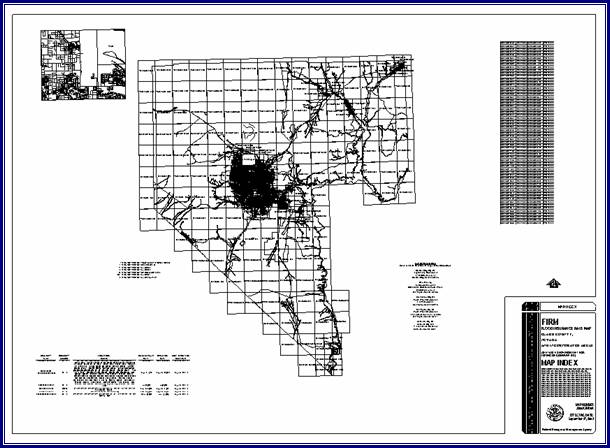
What is the Digital FIRM Index Tool (DFIT)?
DFIT Overview
Tool Controls
DFIT Toolbar
DFIT Tools
 Digital FIRM Index Tool (DFIT)
 Save
to PDF
Save
to PDF
 Clear Graphics
PDF Export Toolbar
 PDF
Export
PDF
Export
Trouble–Shooting
Contacts
DFIT is a tool that automates production of the FIRM panel index map. There are several options that are available to users, allowing for the customization of the layout according to the characteristics of the index. The panel index map elements meet FEMA’s standards, which are described in FEMA’s April 2003 Guidelines and Specifications for Flood Hazard Mapping Partners Appendix K: Format and Specifications for Flood Insurance Rate Maps.
The title block, map repository addresses, and PNP description list are generated automatically, based on information included in look-up tables and feature classes. In addition, the features shown on the map are labeled.
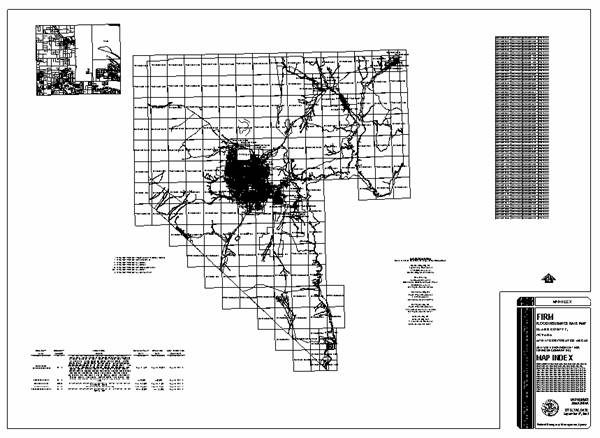
|
| FIRM Panel Index map |
The DFIT user guide contains useful information that will help guide you through using the tool. The key sections of this guide are:
The following is a quick reference guide to all of the components of the Digital FIRM Index Tool (DFIT). You can use the tool to prepare a panel index map for printing.
|
Choose the printed page size Select the orientation of the page Specify which logo should appear in the title block |
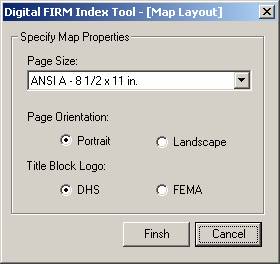
|
Now that you are ready to print the FIRM panel index map, you can prepare the layout and produce a PDF using DFIT.

|
|
Digital FIRM Index Tool | Prepares the FIRM panel index map for printing. |
|
|
Save to PDF | Prints the FIRM panel index map to PDF. |
|
|
Clear Graphics | Clears the graphics from the layout view. |
Digital
FIRM Index Tool (DFIT)View the DFIRM panel index map and modify the elements on the layout.
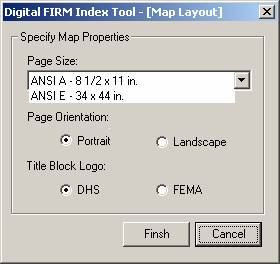 Save to PDF
Once you are satisfied with the arrangement of the layout elements, print your FIRM panel index map to PDF using the Save to PDF tool. The PDF generated will have the following naming convention:
 Clear
Graphics
Clear
GraphicsAfter previewing an index, you can remove the graphics of the index. This will be necessary if you need to regenerate the index.

Once you have printed your selected panels to PDF, you can retrieve them and save them to a local drive or server using the PDF Export Tool. You can print the PDF work maps to your local plotter, share them electronically, or store them in an archive.
PDF
ExportAllows users to download single or multiple PDF files. Use this tool after printing panels to PDF using DFIT’s Save to PDF feature.
Problem: The following message box appears after running DFIT:
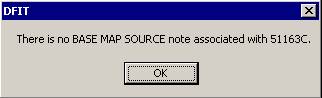
Solution: Run Map Production Pro and enter a Base Map Note in the appropriate section Refer to page 9 of the Map Production Pro user guide.
If you need assistance with this tool, please contact the representative at your local RMC.
| NAME | ROLE | PHONE | |
|---|---|---|---|
| REGION I | |||
| Brent McCarthy | Lead | Brent.McCarthy@mapmodteam.com | (336) 240-7339 |
| Jeffrey Burm | GIS/Mapping | JeffBurm@mapmodteam.com | (517) 482-4930 x4752 |
| REGION II | |||
| Rich Cassin | Operations Manager | Rich.Cassin@mapmodteam.com | (914) 333-5366 |
| Michael Crino | GIS/Mapping | mcrino@mbakercorp.com | (718) 482-9945 |
| REGION III | |||
| Mike Conaboy | Operations Manager | mconaboy@mbakercorp.com | (609) 734-7922 |
| Lee Brancheau | Senior GIS Manager | lbrancheau@mbakercorp.com | (609) 734-7912 |
| REGION IV | |||
| Stephen King | Operations Manager | Stephen.King@mapmodteam.com | (678) 459-1010 |
| Kagan Kuyu | GIS/Mapping | Kagan.Kuyu@mapmodteam.com | (678) 459-1041 |
| REGION V | |||
| Sujata Banerjee | Business Manager | Sujata.Banerjee@mapmodteam.com | (312) 575-3902 |
| Pam Coye | GIS/Mapping | Pam.Coye@mapmodteam.com | (312) 575-3913 |
| REGION VI | |||
| Dan Hoecker | Operations Manager | Dan.Hoecker@mapmodteam.com | (940) 783-4155 |
| Phil Nguyen | GIS/Mapping | pxnguyen@mbakercorp.com | (940) 783-4121 |
| REGION VII | |||
| Matthew Koch | Operations Manager | mkoch@watershedconcepts.com | (816) 502-9420 x4952 |
| Rod Odom | GIS/Mapping | rodom@watershedconcepts.com | (816) 502-9420 x4957 |
| REGION VIII | |||
| David Jula | Operations Manager | David.Jula@mapmodteam.com | (720) 514-1100 |
| Mike Garner | GIS/Mapping | Mike.Garner@mapmodteam.com | (720) 514-1105 |
| REGION IX | |||
| Travis Clark | Business Manager | Travis.Clark@mapmodteam.com | (510) 879-0950 |
| Michael Skowronek | GIS/Mapping | Michael.Skowronek@mapmodteam.com | (510) 879-0958 |
| REGION X | |||
| Michael Morgan | Business Manager | Mike.Morgan@mapmodteam.com | (206) 344-3891 |
| Timothy Witten | GIS/Mapping | wittentd@bv.com | (206) 344-3891 |